
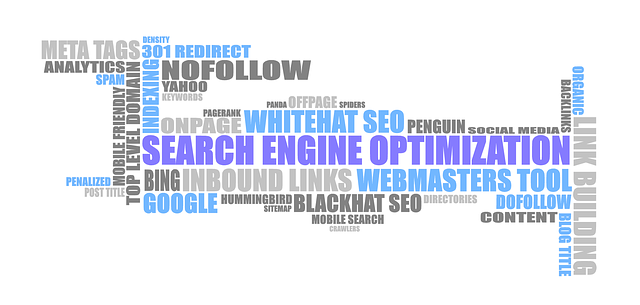
WordPress SEO 101 – The Basics
First things first, you need to understand a little about Search Engine Optimization (SEO) if you expect to be found online. Remember that SEO changes and evolves over time, so what used to work may not work today. It’s so important to keep up to date
on SEO practices for maximum success.
Google and the Search Engine algorithms have gotten more sophisticated and complex over the last few years. And we expect this to happen as time goes on. Just read and keep up with the latest tactics.
As of this writing, here are some basic tips you can use to help you get better rankings using this WordPress SEO 101 – The Basics information:
1) KEYWORD RESEARCH – This is always the first step and ever so important. Google’s Ad Keyword tool is a little complicated for new bloggers to use,
so I recommend this simple one that is free https://www.interntemarketingninjas.com/search. You want to be creating content for the searches actually being
looked up.
2) TITLE TAGS – Make sure you use title tags, as search engines are going to look at this title as one of the most important factors when
figuring out what the page or blog post is about.
3) HEADINGS – H1, H2, H3 etc. are important because like your title, as the name of your post / article, the search engines will be trying to decipher what
your story is about.
4) PAGE TEXT – With your page text, be sure to also use your main keyword phrase at least once or twice. That will be sufficient, as the title and the article H1
heading will also have this keyword. Whatever you do, be sure touse the keyword in a natural way and seer away from keyword stuffing your article text.
Google’s sophisticated algorithm can recognize this practice and may penalize you. This will hurt your SEO and search rankings.
5) BACKLINKS – Backlinks are important and you’ve probably read a little about this. Just be careful where they come from, and the text that is used to link
to your page or another page on your site.
6) SOCIAL SIGNALS – Social signals, such as likes, shares, pins, tweets, etc. are another ranking factor. Know that the activity on your social media
sites do count for SEO purposes, so whatever you post on your blog website should also be shared on Social Media.
7) CONTENT LENGTH – The length of your content now matters more than ever. Be it right or wrong, Google believes that longer content is more in-depth
and will be more authoritative. Articles with 750-1000 words is preferable and anything longer is a bonus.
8) SITE LOAD SPEED – Your website speed of loading is extremely important. If it takes too long to load it will definitely affect your SEO rankings.
One think to be sure you do is optimize your images and choose a reputable hosting company that offers fast download time.
9) OUTBOUND LINKS – Backlinks are important, but no longer the biggest ranking factor. When you are citing sources for your content, use a backlink to refer
back to the original source. This proves to Google that another source, other than you, has a different perspective on the post topic.
10) MOBILE FRIENDLY – You must have your site optimized for mobile browsers. There are many wordpress plugins that can accomplish this, if you happen to
not be using a responsive theme. It’s just better to build your site with a responsive wordpress theme and this will be taken care of automatically.
11) TRUST– This is a crucial factor. It’s a measurement of how much Google thinks your site is trustworthy and includes many specifics like, domain expiration date,
links to trusted authroity sites, having a proper privacy policy and terms and conditions, bounce rate etc.
Here’s a link Google Chrome Extension to look up any Trust Rank using the Google
Chrome browser: https://chrome.google.com/webstore/detail/trust-checker/pffgendbkefdgodfpapflaoedmmfcgk?hl=en
It’s certainally not a fool proof rating by any means, but it helps know a little more about how Google thinks of each site.
This list is not a complete list by any means, but should be a good basis for your SEO practices and help you start to build your SEO Plan for your website and online networks.
Do get in touch with me if you have any SEO questions or if you need any additional information.
 CARLENE KELSEY